
ERP Modernization
Why Move from Microsoft Dynamics NAV 10 to Business Central Cloud
A client-facing business case for ERP modernisation: supportability, security, productivity, reporting, automation, integration, and future readiness.
Why Move from Microsoft Dynamics NAV 10 to Business Central Cloud
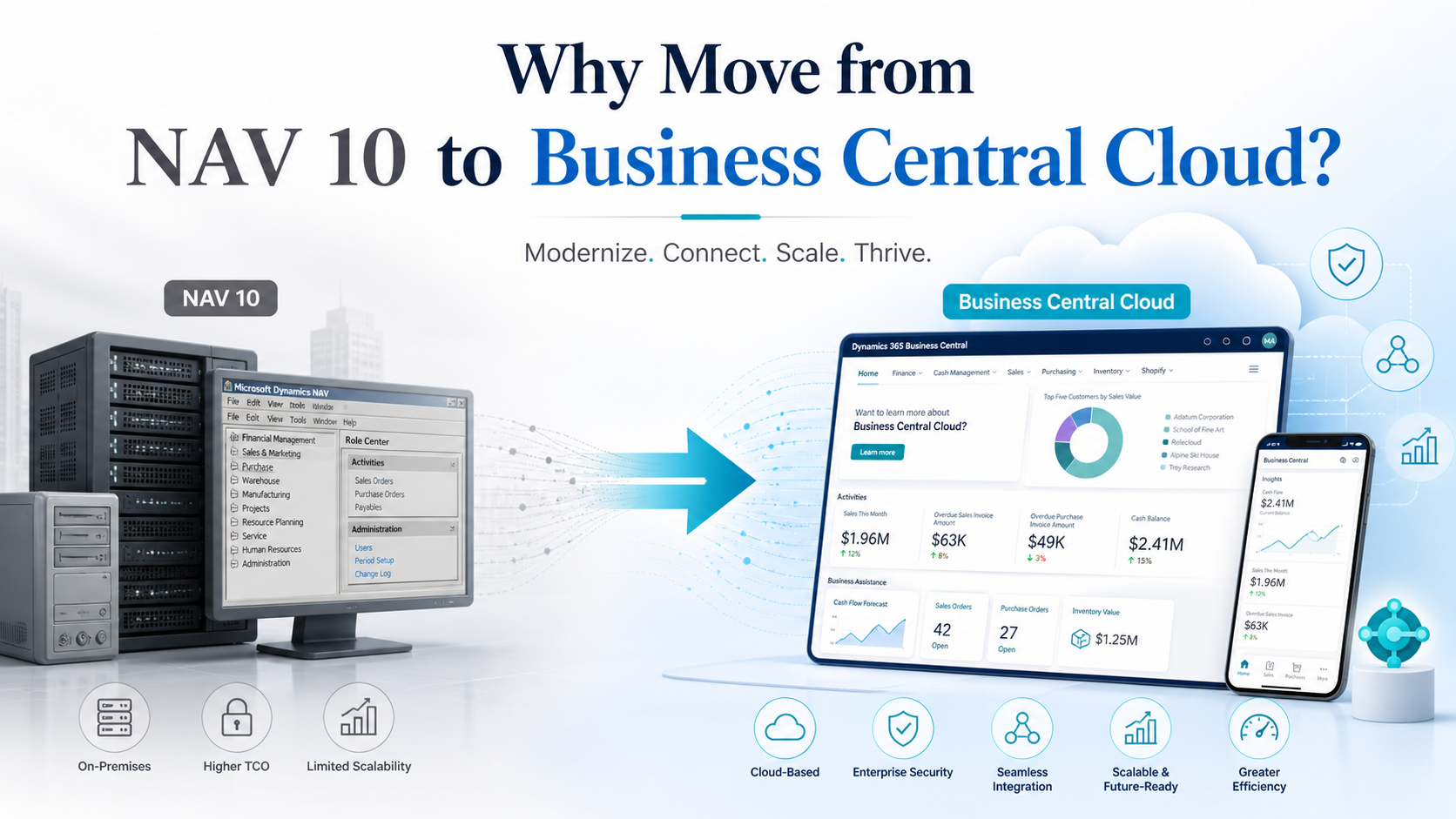
Business Central Cloud is no longer only a technical upgrade from NAV 10. It is a business decision about supportability, security, productivity, reporting, automation, integration, and future readiness.
Executive Summary
Many organisations stay on older NAV systems because the system still works. Orders can be entered, invoices can post, and users know the screens. However, the decision point in 2026 is different: NAV 10 / Dynamics NAV 2017 is many versions behind the current Microsoft ERP platform, while Business Central Cloud has become the standard direction for Microsoft cloud ERP capability.
For a business still running NAV 10, the question is not simply whether the system works today. The better question is whether it can safely, efficiently, and affordably support the business over the next five years.
NAV 10 Compared With Business Central Cloud
- Support lifecycle: NAV 10 is an ageing platform with extended support ending soon for Dynamics NAV 2017 / version 10. Business Central Cloud has an ongoing Microsoft release and update path.
- AI and automation: NAV 10 has no native Copilot or agent model. Business Central includes Copilot, Sales Order Agent, Payables Agent, and a broader AI roadmap.
- Customisation model: NAV 10 uses an older C/AL and C/SIDE customisation approach. Business Central uses an AL extension model and supported upgrade path designed for cleaner upgrades and app lifecycle management.
- Productivity: NAV 10 often relies on manual exports, emails, and workarounds. Business Central integrates with Microsoft 365 and Outlook, Teams, Excel, Word, OneDrive, and Power Platform.
- Reporting: NAV 10 often requires Excel exports or custom reports. Business Central supports in-context analytics, Power BI integration, and data analysis on list pages.
- Compliance and integrations: Older custom integrations are harder to maintain. Business Central adds e-documents, Shopify connector investment, sustainability features, admin centre governance, and cloud update controls.
1. Why the Decision Matters Now
NAV 10 may continue to run day to day, but stability should not be confused with resilience. Older ERP environments often become familiar because people have built workarounds around them.
The hidden cost usually appears in reporting delays, manual re-entry, ageing integrations, dependence on a few key staff, and difficulty adding new automation. The system may not fail suddenly; it may slowly limit what the business can do.
Business Central Cloud changes the operating model. The ERP becomes a regularly updated cloud platform connected to Microsoft 365, Power BI, Power Automate, Teams, e-commerce, AI features, and modern security administration.
2. Key Business Reasons to Move
2.1 Reduce support and ageing platform risk
Microsoft identifies Dynamics NAV 2017 as version 10. Mainstream support for Dynamics NAV 2017 ended on 11 January 2022, and extended support ends on 11 January 2027. For clients making a decision in 2026, this creates a clear support runway issue rather than a distant technical concern.
2.2 Use AI and agentic ERP capability
Business Central is now part of Microsoft's AI-driven ERP roadmap. Copilot and agents are designed to reduce manual work, assist users in daily tasks, and support processes such as sales order entry and payables processing. NAV 10 can be customised, but it does not have a native cloud Copilot and agent operating model.
2.3 Move from old customisation to a modern extension model
Business Central has moved to AL and an extension-based model. This supports cleaner upgrades, app management, and a better separation between standard ERP capability and customer-specific extensions.
2.4 Improve productivity with Microsoft 365 integration
Business Central is designed to work with Outlook, Excel, Word, OneDrive, and Teams. Users can work with quotes, invoices, documents, data, and collaboration directly in the Microsoft 365 flow of work.
2.5 Improve reporting and management visibility
Business Central supports in-context analytics, Power BI reports, and data analysis directly from list pages. This reduces waiting for exported reports and gives finance, operations, inventory, and management teams better access to operational insight.
2.6 Strengthen e-commerce and digital integration
Business Central includes ongoing Shopify connector investment, including order import, item and inventory synchronisation, fulfilment tracking, invoice export, and job queue automation. This is stronger than maintaining e-commerce as a separate custom layer around NAV 10.
2.7 Prepare for compliance, e-documents, and sustainability reporting
Business Central includes ongoing investment in e-documents and sustainability management. This matters for organisations that need better invoice exchange, compliance workflows, emissions tracking, or customer and regulatory reporting readiness.
2.8 Improve administration, updates, and security control
Business Central Cloud environments are managed through the Business Central admin centre, including update timing, notifications, preview environments, partner access, and monthly update cycles. This gives the business a more controlled way to manage ERP operations and security.
3. The Risk of Delay
The real risk is not only the cost of migration. Delay also has a cost.
- More historical data to clean and validate later.
- More old custom logic to interpret or rewrite.
- Fewer people who remember why old changes were made.
- More distance from the current Microsoft platform and development model.
- More difficulty integrating new sales channels, reporting tools, and automation.
Waiting can make the future migration harder, not easier. A readiness assessment gives management a practical view of cost, risk, timing, and business value before committing to a full project.
4. What Should Be Reviewed First
A sensible migration does not start by switching everything at once. It starts with a structured review of the current NAV environment and the business processes around it.
- Business-critical NAV functions.
- Customisations that are still needed.
- Reports that are actively used.
- Manual workarounds and Excel-based processes.
- Integrations that must be replaced or modernised.
- Master data quality and migration rules.
- Key users, training needs, and role redesign.
5. Practical Migration Path
The goal is not to recreate every old screen. The goal is to keep what matters, remove what no longer helps, and give the business a platform that can keep moving.
Stage 1: Assess
Review the current NAV database, customisations, reports, integrations, security, and infrastructure. The outcome is a clear current-state view.
Stage 2: Map
Compare current processes against standard Business Central capability. The outcome is a practical fit-gap view.
Stage 3: Decide
Identify which customisations should become standard configuration, AL extensions, Power Platform workflows, or Power BI reports. The outcome is a solution direction.
Stage 4: Prepare
Clean master data, define migration rules, and confirm opening balances and cutover requirements. The outcome is migration readiness.
Stage 5: Pilot
Set up a Business Central pilot environment for user validation and scenario testing. The outcome is a validated design.
Stage 6: Train
Train key users before go-live, especially around changed processes and reporting. The outcome is user readiness.
Stage 7: Go live
Move to production with support coverage and post-go-live issue management. The outcome is a controlled transition.
6. Client-Facing Decision Framing
"NAV still works."
Yes, but the business decision is whether it can continue supporting growth, compliance, security, integration, and reporting over the next five years.
"Migration is expensive."
A controlled migration has a cost, but delay can increase future cost by adding more data, more custom logic, and more unsupported dependencies.
"We have too many customisations."
That is exactly why the first step should be a readiness assessment. Some customisations may become standard features, extensions, workflows, or reports.
"Users know the current screens."
Training is part of the project. Business Central also offers browser access, Microsoft 365 integration, and modern reporting that can reduce manual work.
"Can we do it safely?"
Yes, if staged properly: assessment, fit-gap, data preparation, pilot, UAT, training, cutover, and support.
7. Recommended Next Step
The recommended next step is not a rushed migration. The practical next step is a NAV-to-Business Central readiness assessment.
This assessment should give management a clear view of current system risk, migration scope, customisation handling, integration changes, data readiness, expected cost, timeline, and business value.
Australian organisations can use LeXurey's Dynamics NAV to Business Central migration service in Australia to review the migration pathway, complete a short readiness check, and request a discovery discussion before scope is agreed.
If NAV 10 is still central to the business, it deserves a serious future plan. Business Central Cloud gives the business a chance to modernise carefully while keeping operational knowledge and reducing dependency on an ageing ERP platform.
Microsoft and LeXurey References
- Business Central 2026 release wave 1 overview
- Business Central 2026 release wave 1 planned features
- Supported upgrade paths to Business Central
- Dynamics NAV 2017 lifecycle
- Business Central upgrade guidance
- Sales Order Agent setup
- Payables Agent overview
- Business Central with Outlook
- Shopify connector overview
- Sustainability Management
- Business Central admin centre update management